At Maesteg School, we fully embrace the ‘Healthy Eating in Schools’ legislation when it comes to preparing our menu.
Our menu is designed to ensure compliance with the Welsh Government standards for nutrients and food-based standards for food in schools. Information on the requirements for ‘Healthy Eating in Schools’ can be accessed through the following links:
Follow the links below to view our menus. The menus are on display in the main hall for pupils. Menus can be subject to change as we incorporate fresh seasonal fruit and vegetables where possible. Pupils will be made aware of such changes with updated allergen advice on display.
Natasha’s Law 2021
From 1 October 2021 new legislation known as Natasha’s Law came into force. The new legislation applies to any food business that would provide pre-packed for direct sale (PPDS) food including primary and secondary schools, universities and nurseries that provide food. For food provided within a school setting, this means changes to labelling of sandwiches and baguettes only, as these are made and pre-packaged on the premises before the consumer orders them. Allergenic ingredients must be emphasized within labelling list.
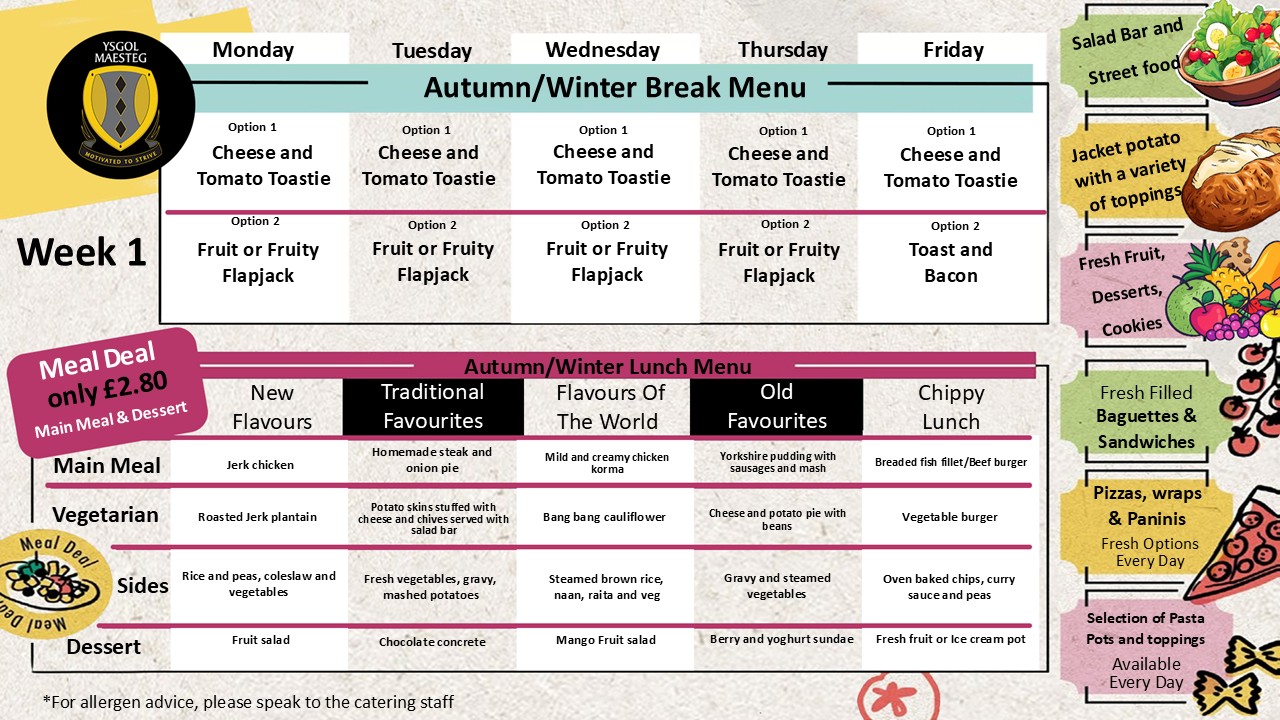
Autumn/Winter Menu
Week 1
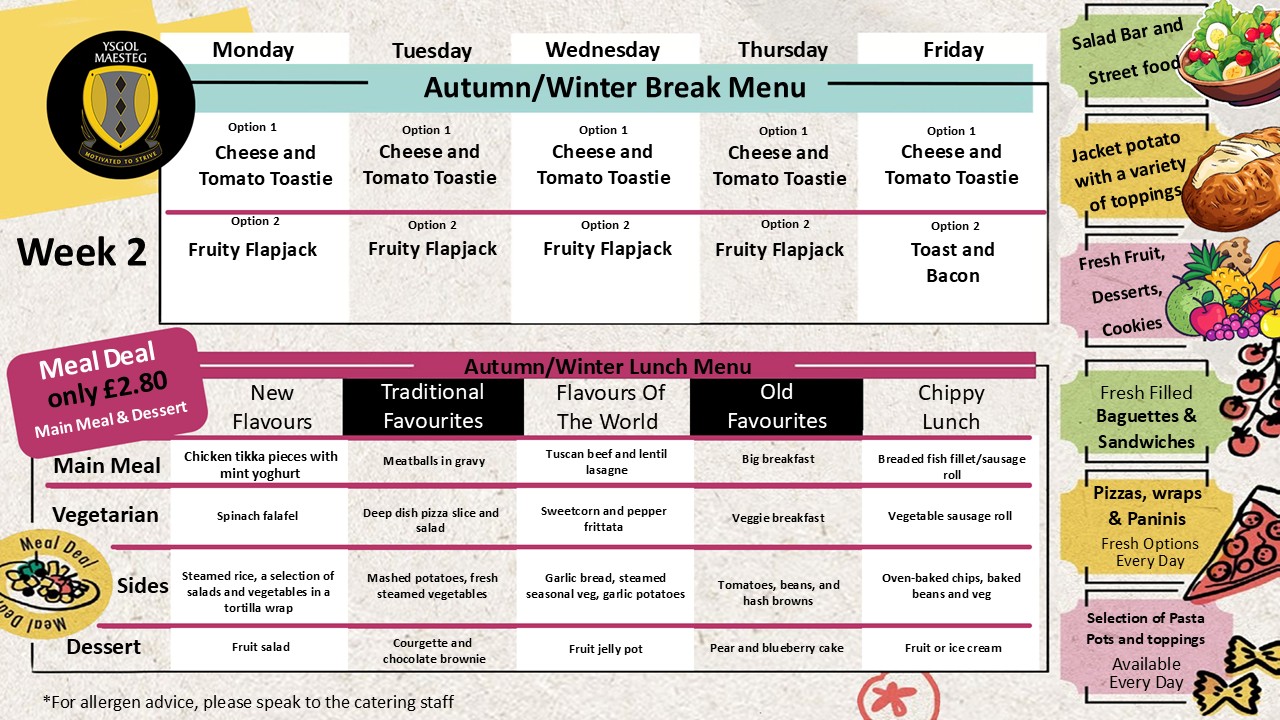
Autumn/Winter Menu
Week 2
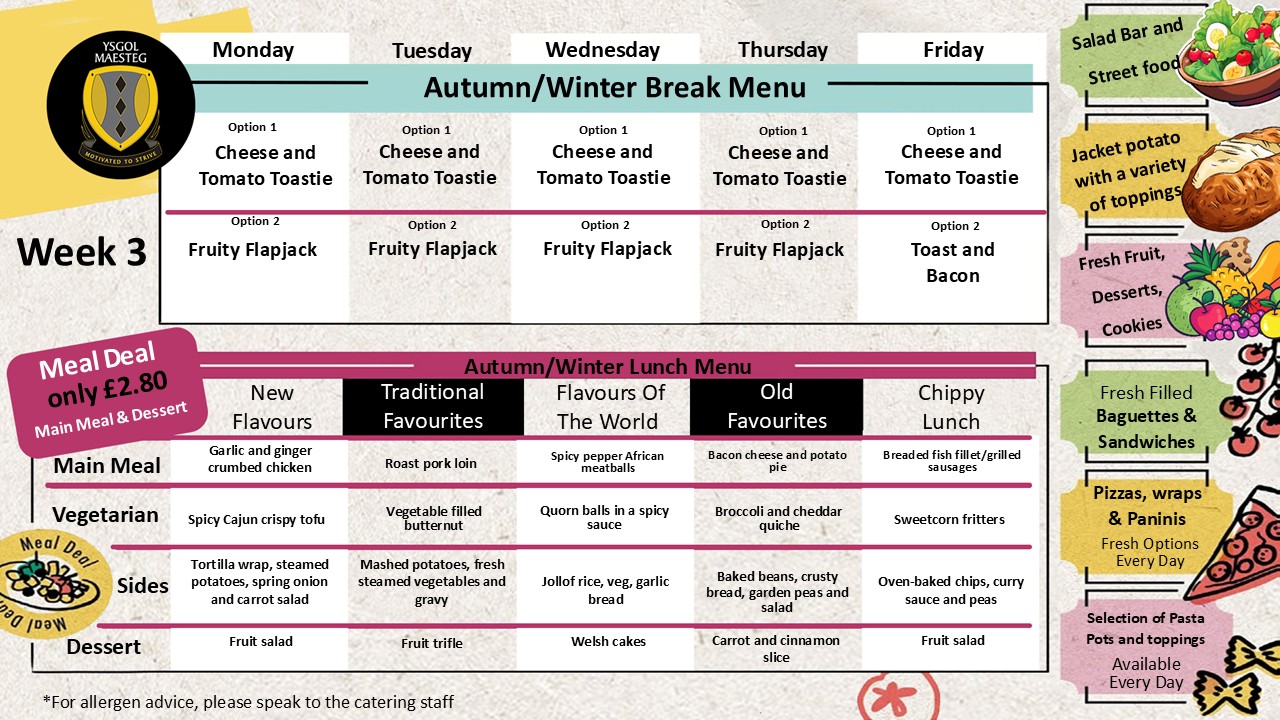
Autumn/Winter Menu
Week 3
Cashless Catering
- On-line payments;
- Coin and note payments at the revaluation pay-points situation in the school atrium.